
How to Top Up Airtime Worldwide with Topremit
Here's how to top up airtime worldwide using our Mobile Top Up service!


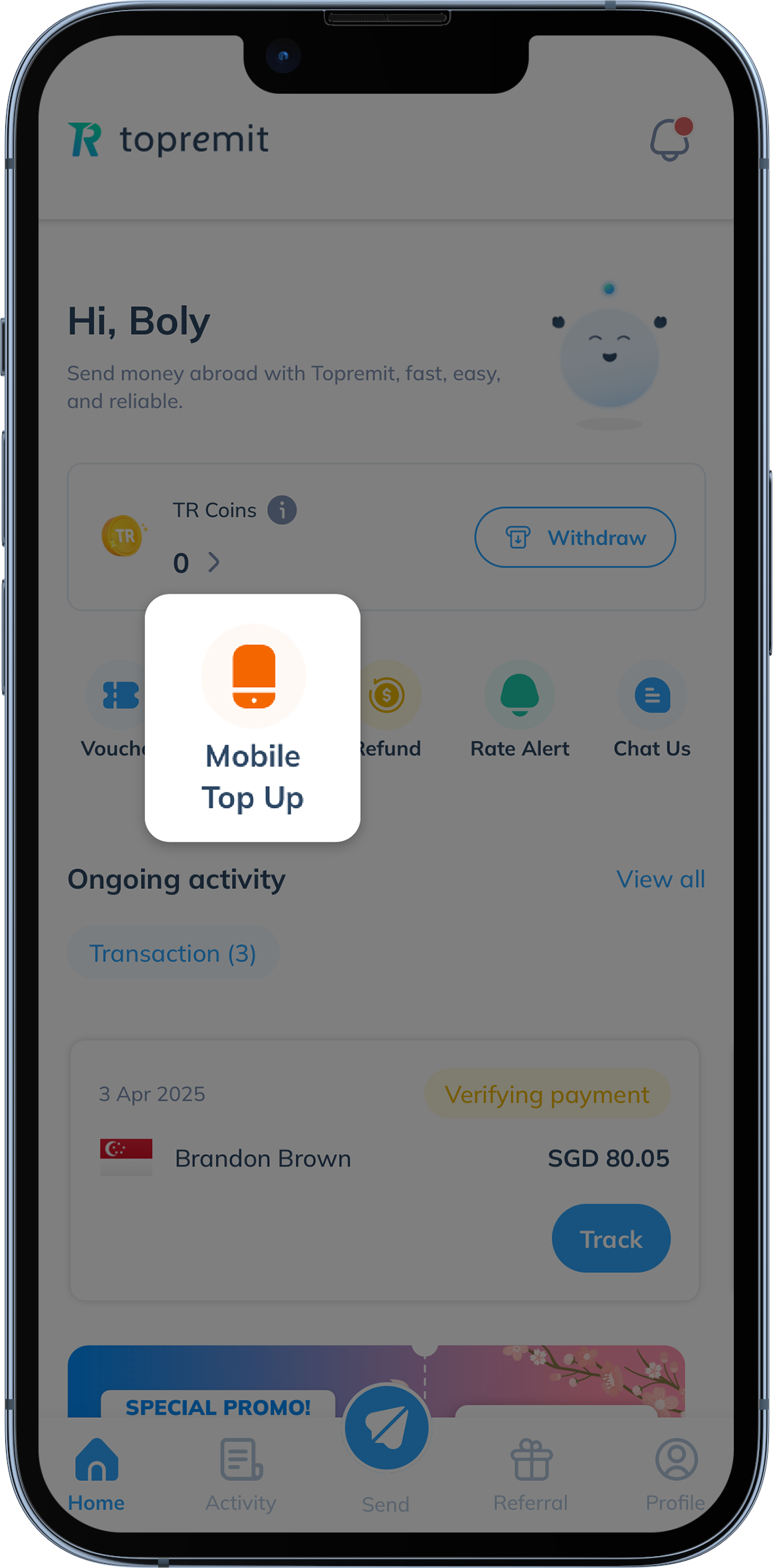
- Open your Topremit app and click the ‘Mobile Top Up’ menu on the homepage.
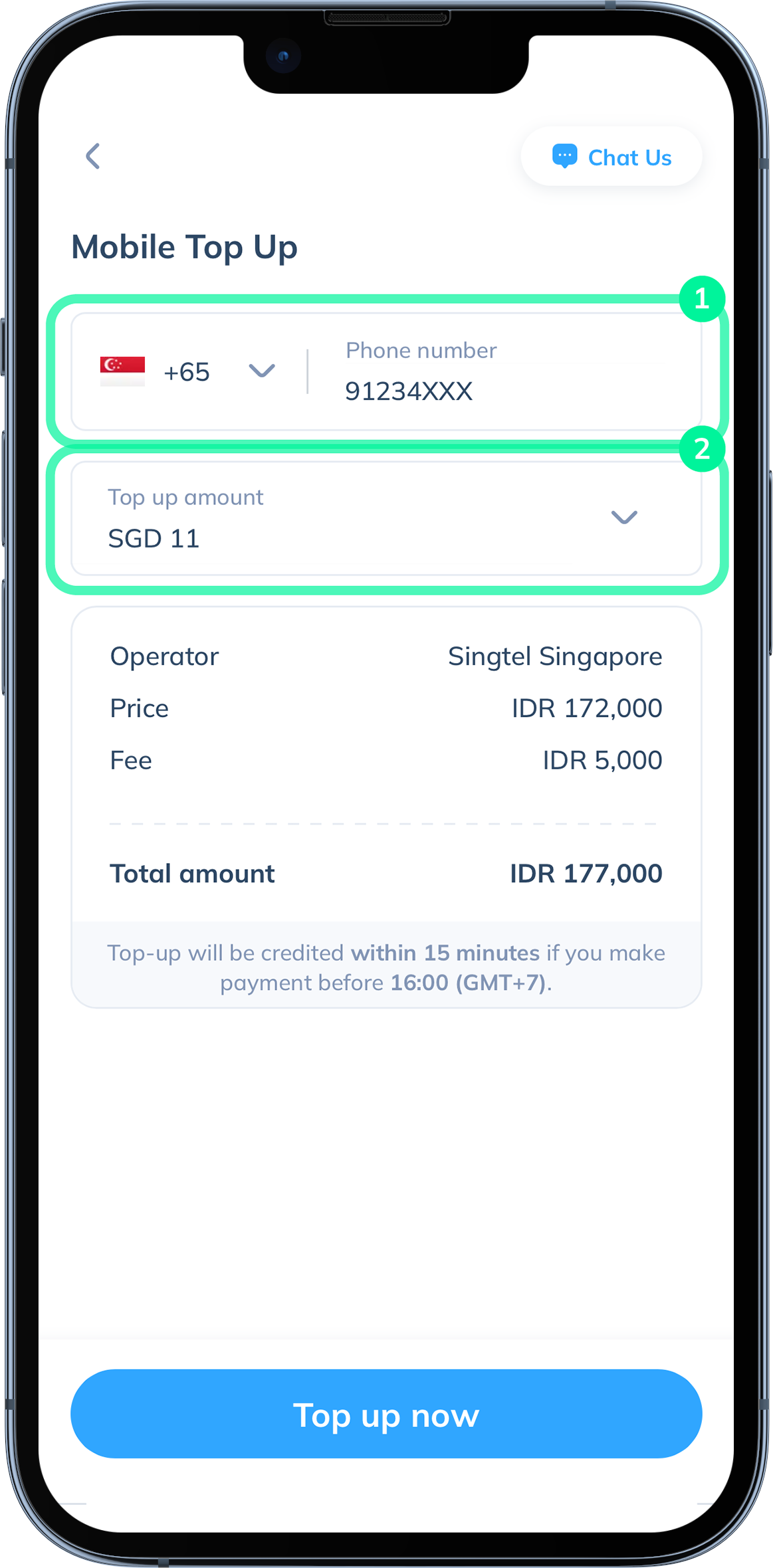
- Choose the country, input phone number, and select your top up amount. Then click ‘Top up now’.
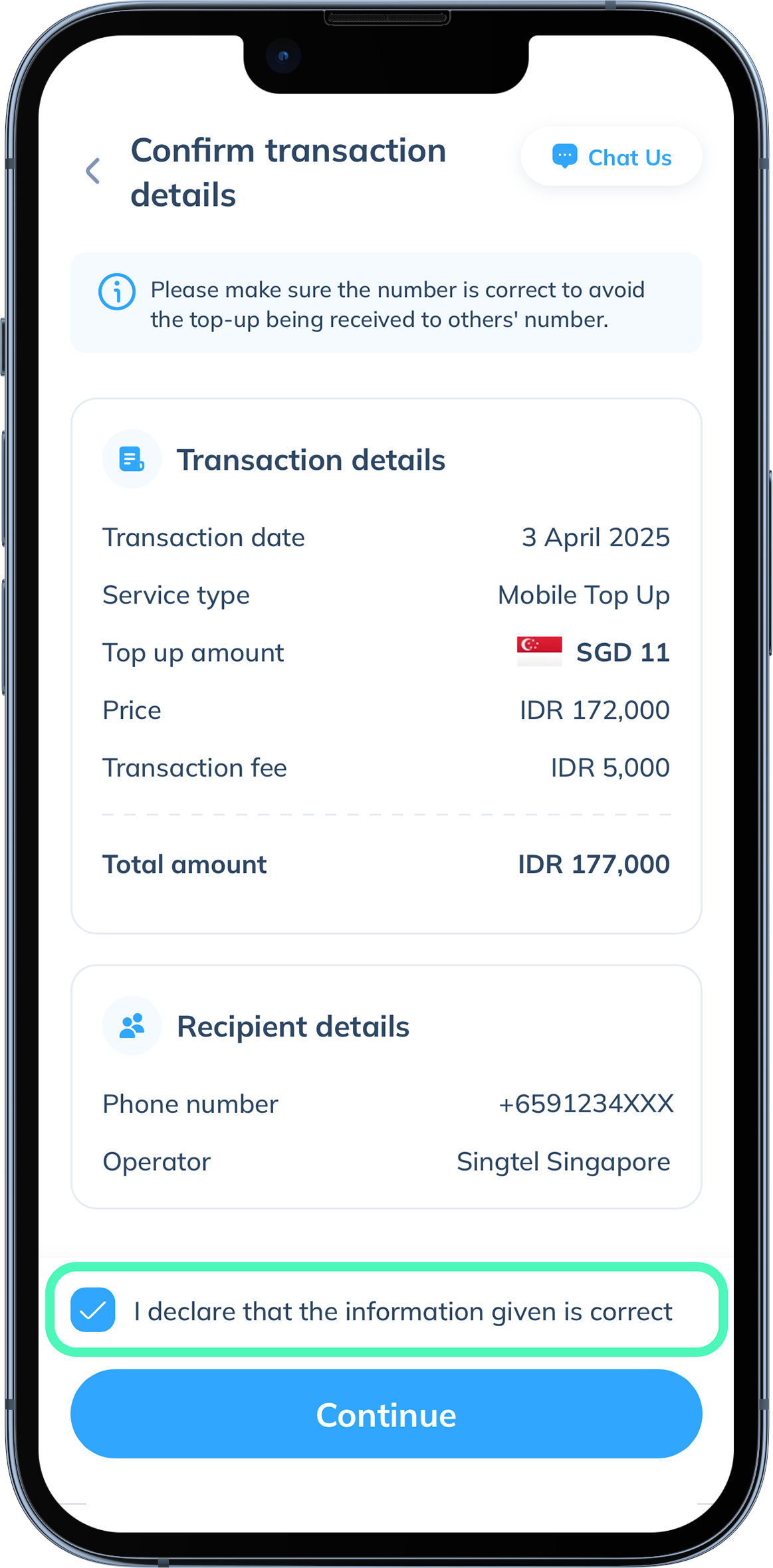
- Your complete transaction details will be shown so you can ensure all the information is correct. Confirm your transaction details by checking the declaration box, then click ‘Continue’.
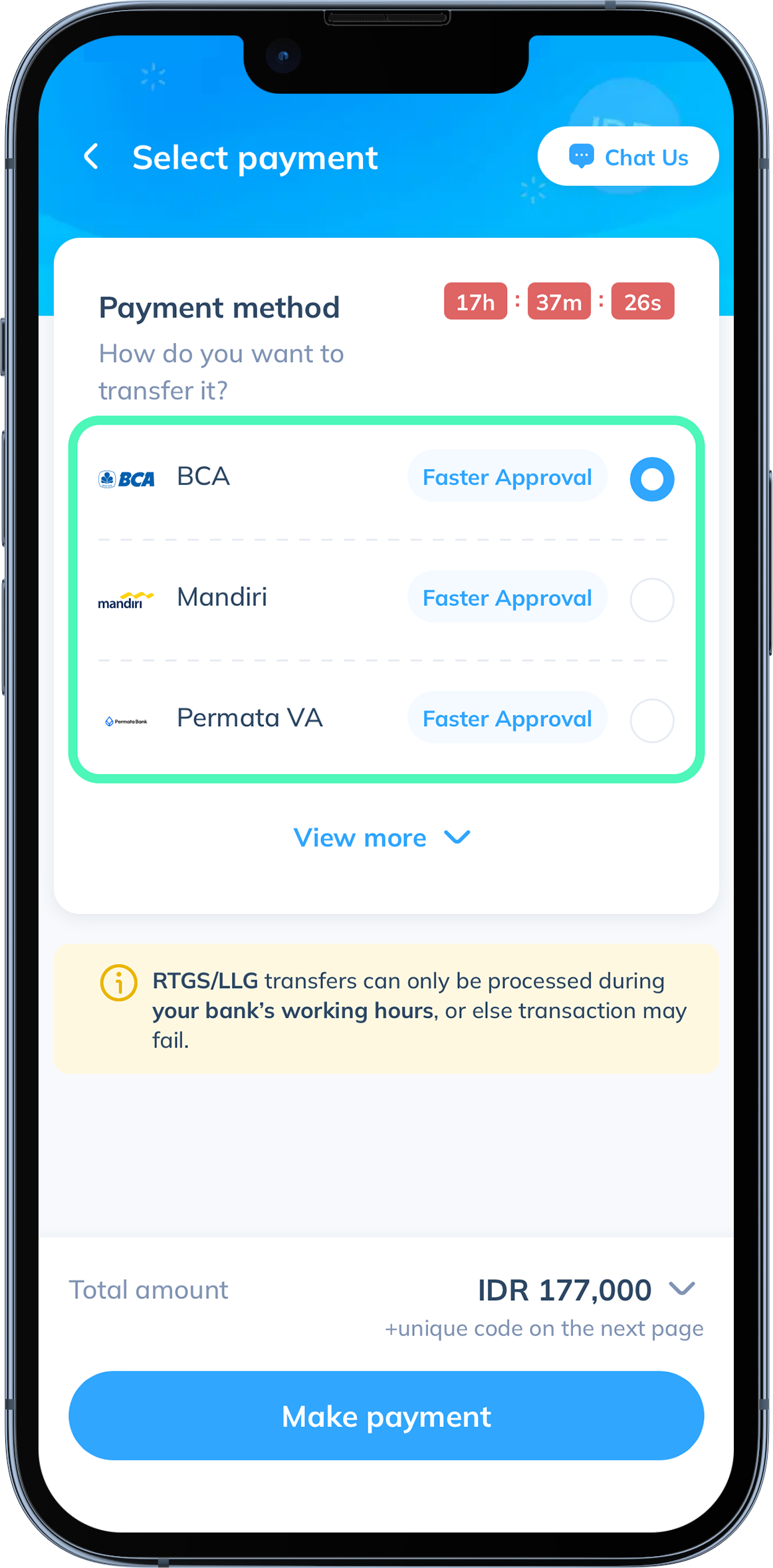
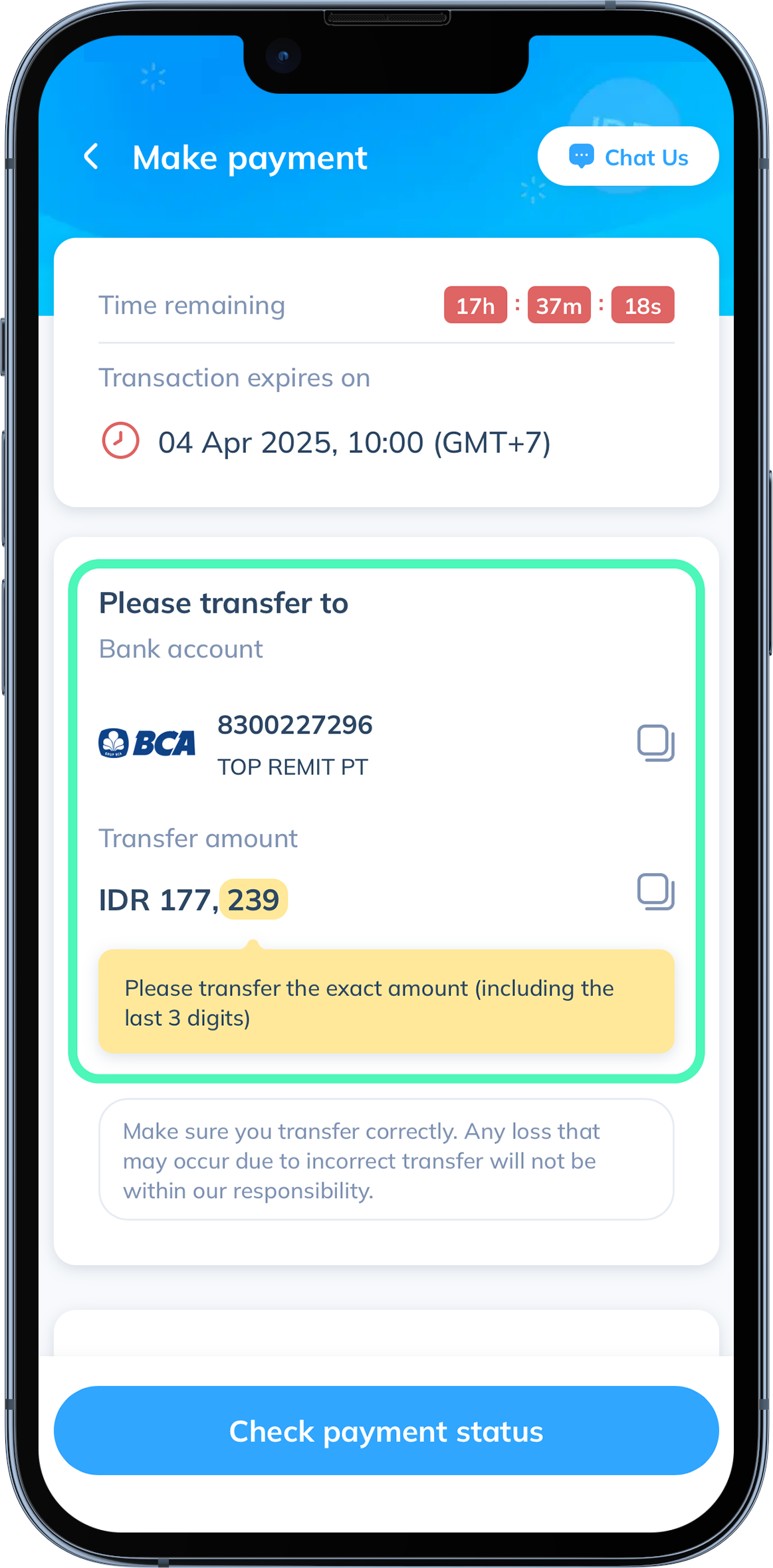
- Make payment to one of Topremit’s bank accounts by transferring via m-banking or ATM machine. Then click ‘Make payment’. Make sure to transfer the exact amount that is shown, including the 3 digit unique code.
- Your payment will be verified automatically and you're done!
For any further questions or assistance, please contact our Customer Support team through the Live Chat feature or WhatsApp at 0823 6196 0569 📲